


Email Marketing
Published:
Email Marketing
Qasim Farooq
Share

The holiday season is here, and your inbox is likely as busy as Santa’s workshop. So, why not give your emails a festive upgrade? After all, did you know that email engagement rates spike by over 25% during the holidays? It’s the perfect time to stand out with a little seasonal flair.
Think of your email signature as a mini holiday card—one that can spread cheer, showcase your brand, and even highlight special promotions.
Adding a touch of Christmas spirit doesn’t just make your emails memorable; it shows your recipients that you’re embracing the season with style.
Ready to create a signature that’s as festive as it is professional? Let’s dive into tips and examples that will make your emails sparkle this holiday season!
Why Add Christmas Email Signatures to Your Campaigns?
Let’s face it—your emails are already doing a lot of heavy lifting during the holiday season. So why not give them a festive edge? Adding a Christmas email signature isn’t just about looking fancy; it’s about creating connections.
Think of it as the digital equivalent of a holiday card—only better, because it delivers your message and spreads holiday cheer.
Here’s the deal: the holiday season is prime time for engagement. People are in a festive mood, businesses are buzzing, and inboxes are full of opportunities.
A thoughtfully designed Christmas email signature can make your messages stand out, reinforce your brand, and even nudge recipients toward holiday promotions.
Let’s make your emails shine brighter than your office Christmas trees.
6 Ways to Design an Impactful Holiday Email Signature
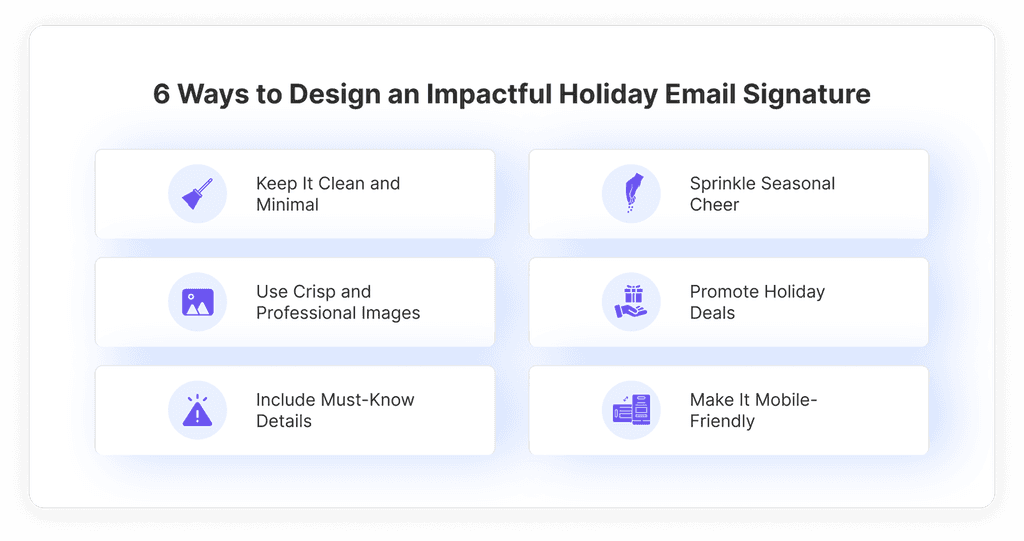
1. Keep It Clean and Minimal
Here’s the thing: less is often more. A cluttered signature with too many bells and whistles can distract from your message. Stick to a clean design that includes only the essentials—your name, job title, company, and contact details.
If you’re feeling festive, sprinkle in a subtle touch of color, like red or green, to keep things seasonal without going overboard. A clean signature ensures your emails remain polished and easy to read.
2. Sprinkle Seasonal Cheer
Nothing says “holiday spirit” like a touch of festive charm. Add a cheerful greeting like “Happy Holidays” or “Merry Christmas” to your signature. A small icon—a Christmas tree, a snowflake, or even Santa’s hat—can bring warmth to your messages.
These little details show you’ve put thought into your communication, making recipients feel valued and appreciated.
3. Use Crisp and Professional Images
A picture is worth a thousand words—or, in this case, a thousand clicks. Include a high-quality image in your signature, like a small Christmas banner or your company logo decked out in holiday colors.
Keep it crisp, professional, and aligned with your brand’s tone. Just make sure the image is optimized for fast loading; no one wants to wait for a slow-loading email during the busiest time of the year.
4. Promote Holiday Deals
Your email signature is prime real estate for a little marketing magic. Include a call-to-action linking to your holiday promotions, like “Shop Our Holiday Sale” or “Grab Your Festive Discount Today.” Use this space to guide readers to your website, a special holiday page, or even exclusive offers.
It’s a subtle way to drive traffic while keeping your signature festive and functional.
5. Include Must-Know Details
The holidays can be hectic, so make it easy for your audience to find what they need. Use your signature to share important updates like holiday business hours or direct links to your social media pages.
Adding these details shows you’re proactive and thoughtful, helping recipients stay informed while they navigate the festive chaos.
6. Make It Mobile-Friendly
Did you know most emails are read on mobile devices? That’s why your signature needs to look great on any screen. Stick to a responsive design that adapts seamlessly to smaller devices. Ensure links are clickable, text is readable, and images are appropriately sized.
A mobile-friendly signature ensures your festive charm reaches everyone, no matter where they’re reading.
Also read: Email Design Best Practices: 11 Things to Pay Attention To
Holiday Email Signature Templates to Inspire You
Crafting effective holiday email signature doesn’t have to be daunting. Think of it as a creative canvas to showcase your brand’s holiday spirit while keeping things functional and professional.
Here are five actionable ways to make your holiday email signatures shine:
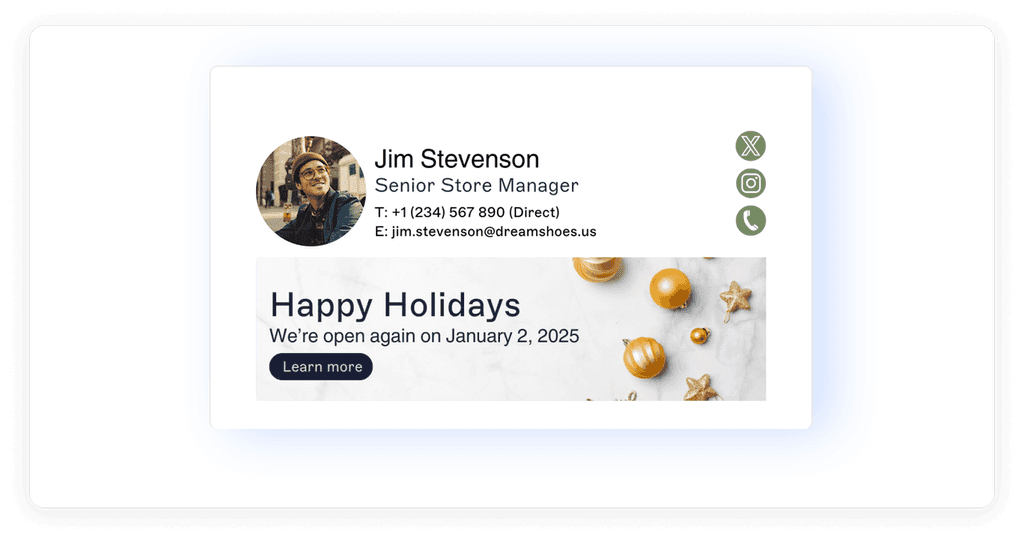
1. Share Your Holiday Business Hours
The holiday season often means changes to regular hours, and your email signature is the perfect place to keep everyone informed. Add a line or a clickable banner that shares your adjusted schedule, such as:
"Our holiday hours: Monday–Friday, 10 AM–5 PM. Closed on Christmas and New Year’s Day."
By keeping this information in your email signature, you save your customers the hassle of searching for it elsewhere. Pair it with festive visuals or a small icon—like a clock wrapped in holly—for an extra holiday touch.
Example

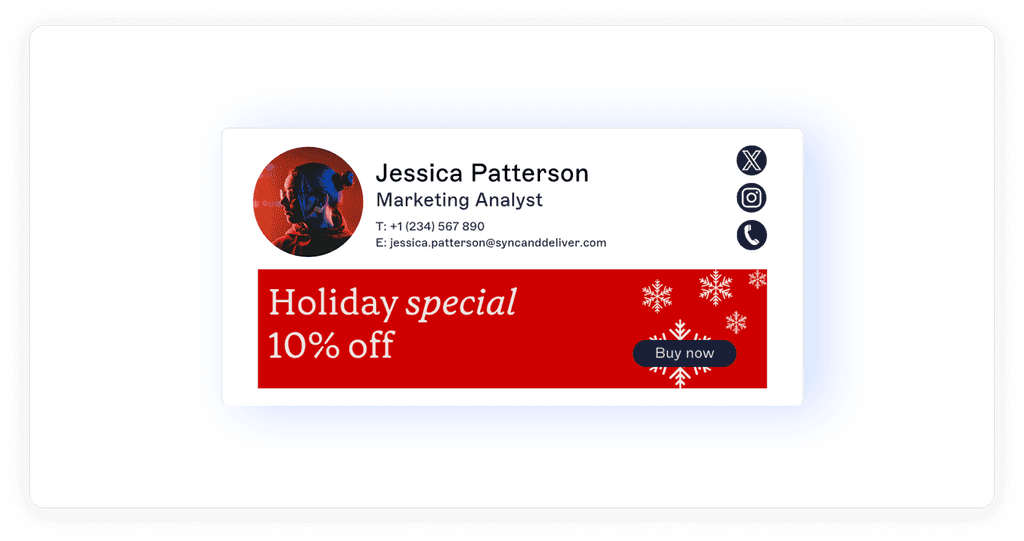
2. Spotlight Seasonal Promotions
Got a holiday sale or special event? Use your email signature to draw attention to it. Include a bold call-to-action like:
"Don’t miss our holiday sale! Click here for festive season discounts."
You can link this directly to your promotion page, giving recipients easy access to your deals. To make it visually engaging, add a holiday-themed banner or icon, such as a snowflake or gift box, to grab attention without overwhelming the design.
Example
3. Drive Traffic to Your Holiday Store
If you’ve got a special holiday collection or limited-time offerings, why not guide readers directly to them? A simple link in your signature, such as:
"Explore our Holiday Store for exclusive gifts and deals!"
can turn your email into a powerful marketing tool.
You could also add social media icons that link to your holiday campaigns or gift guides. This not only drives traffic but keeps your audience engaged across platforms.
Example
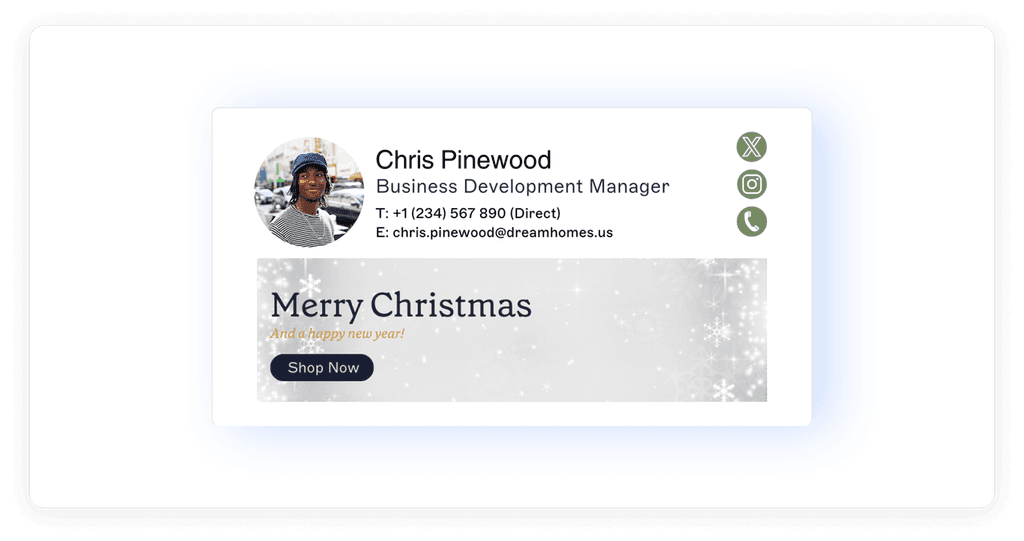
4. Add a Festive Visual Touch
Sometimes, all it takes is a little holiday sparkle to make your email stand out. Add a festive visual element to your signature, like a small Christmas banner, a string of lights, or a playful Santa Claus icon. Keep it subtle and professional—just enough to add cheer without overshadowing the key details.
For a personalized feel, include a festive greeting like:
"Wishing you a Merry Christmas and Happy Holidays!"
This small addition can make your messages feel warm and thoughtful.
Example
5. Feature a Limited-Time Discount Code
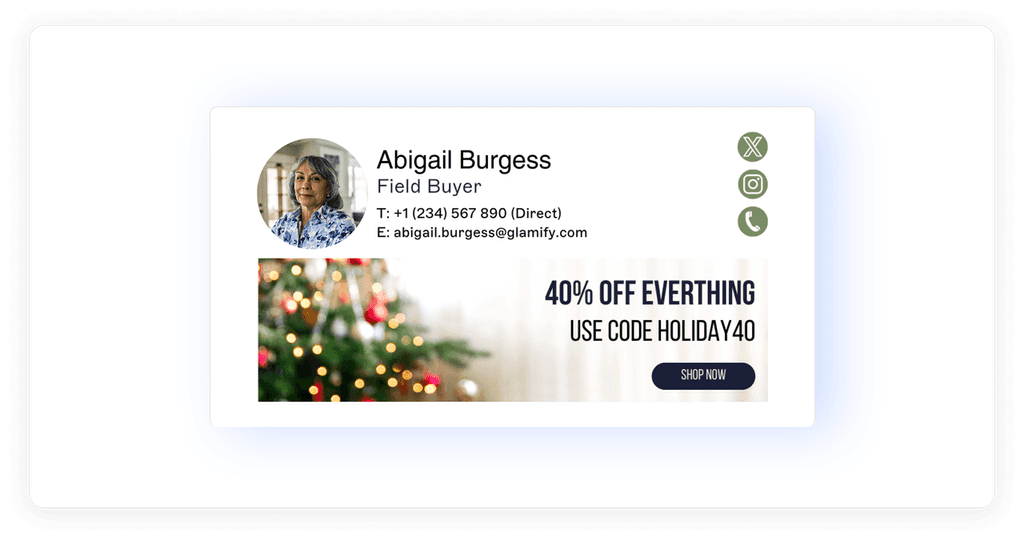
Create urgency and excitement by including a limited-time discount code in your email signature. Something like:
"Use code HOLIDAY20 for 20% off—offer ends Dec. 24th!"
Highlight the deadline with bold text or festive colors to make it stand out. This approach not only promotes your offer but also nudges readers to take action quickly. It’s a smart way to turn your email signature into a conversion tool while keeping the holiday spirit alive.
Example
These ideas combine functionality with creativity, ensuring your email signature leaves a lasting impression while driving real results.
Creative Holiday Email Signature Ideas for Different Occasions
Thanksgiving-Themed Email Signatures
1. Spread Warm Holiday Greetings
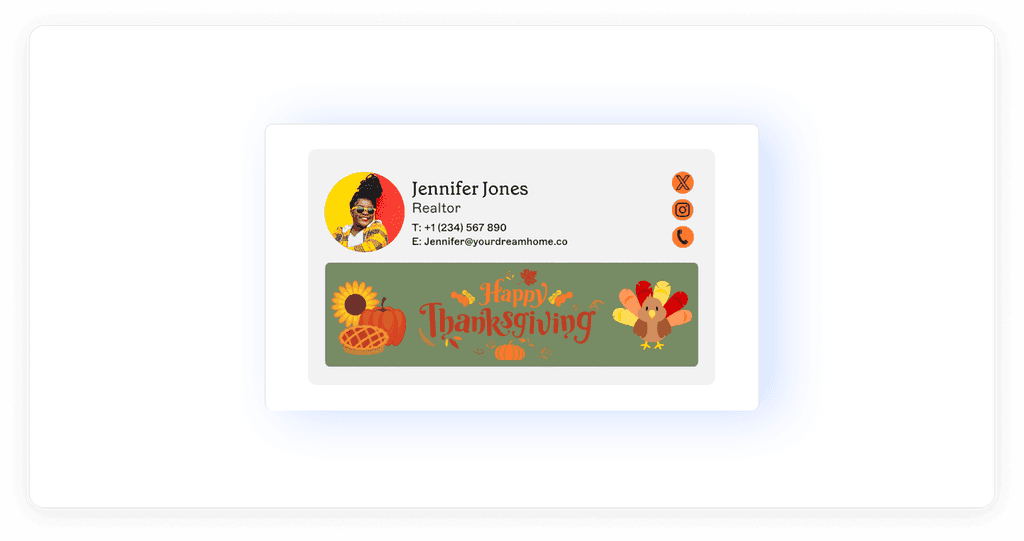
Sometimes, simplicity and sincerity are all you need to leave a lasting impression. Jennifer Jones’ signature does just that by pairing a heartfelt “Happy Thanksgiving” greeting with warm visuals of pumpkins, pies, and sunflowers. The overall design feels approachable and personal, making the recipient feel appreciated.
Pro Tip: Use natural, festive elements like leaves, turkeys, or fall colors to enhance the message while keeping it professional and warm. A line like, “Wishing you a joyful Thanksgiving filled with family and gratitude,” works beautifully.
2. Encourage Holiday Reservations
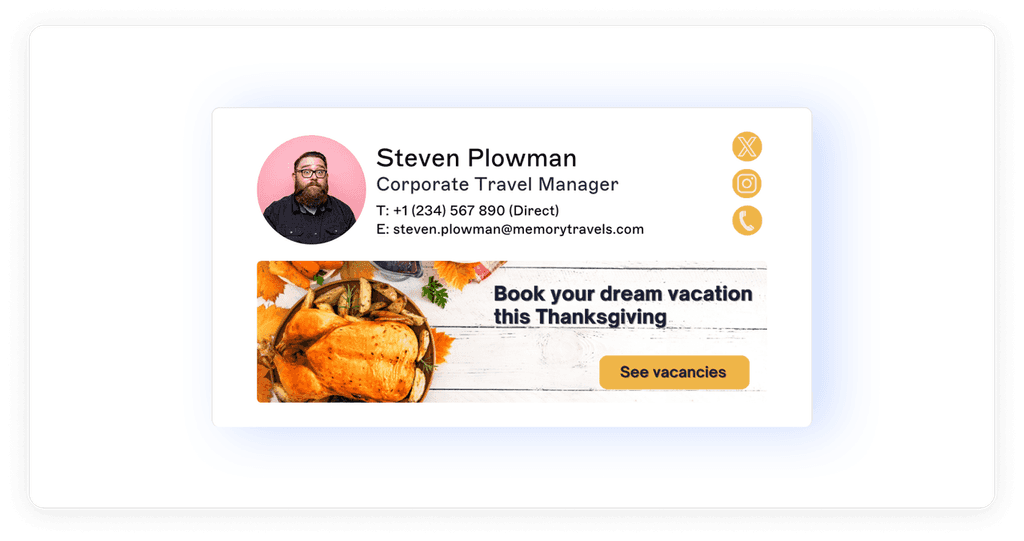
For industries like travel and hospitality, encouraging early reservations during Thanksgiving is key. Steven Plowman’s example above demonstrates this perfectly, combining a visually appealing turkey dinner image with a call-to-action button that says, “See Vacancies.” The design ensures recipients are guided to book their spot without having to search.
Pro Tip: Use direct, action-oriented language in your CTA, like “Book your table today!” or “Plan your Thanksgiving escape!” to drive engagement.
3. Promote Exclusive Seasonal Deals
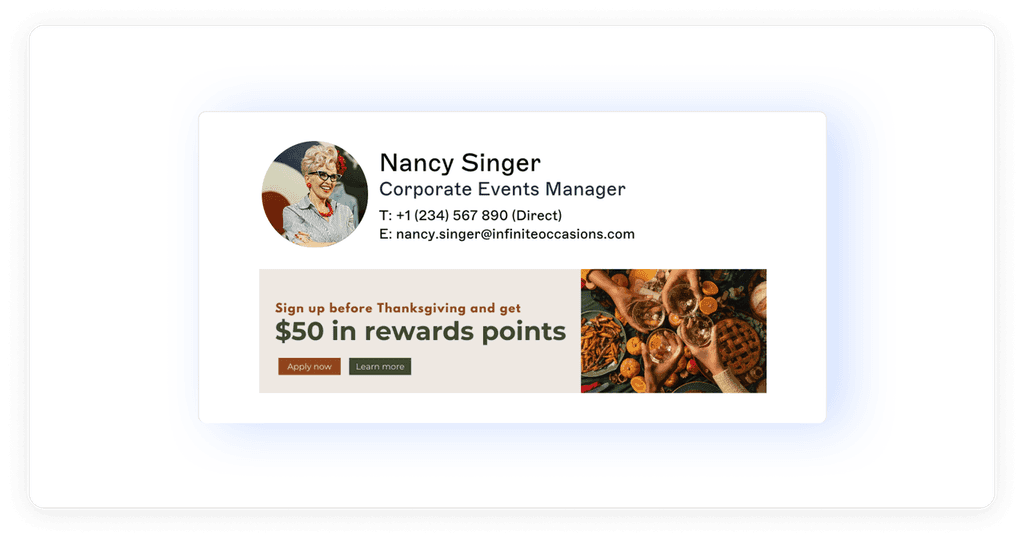
Holiday deals and promotions are a big part of Thanksgiving campaigns, and Nancy Singer’s signature shows how to do it right. By featuring a clear reward offer (“$50 in rewards points”), it captures the recipient’s attention instantly. The use of buttons like “Apply Now” or “Learn More” makes the next step easy and actionable.
Pro Tip: Combine promotional text with vibrant seasonal visuals to create a balance between festive charm and marketing focus.
4. Feature a Thanksgiving Banner
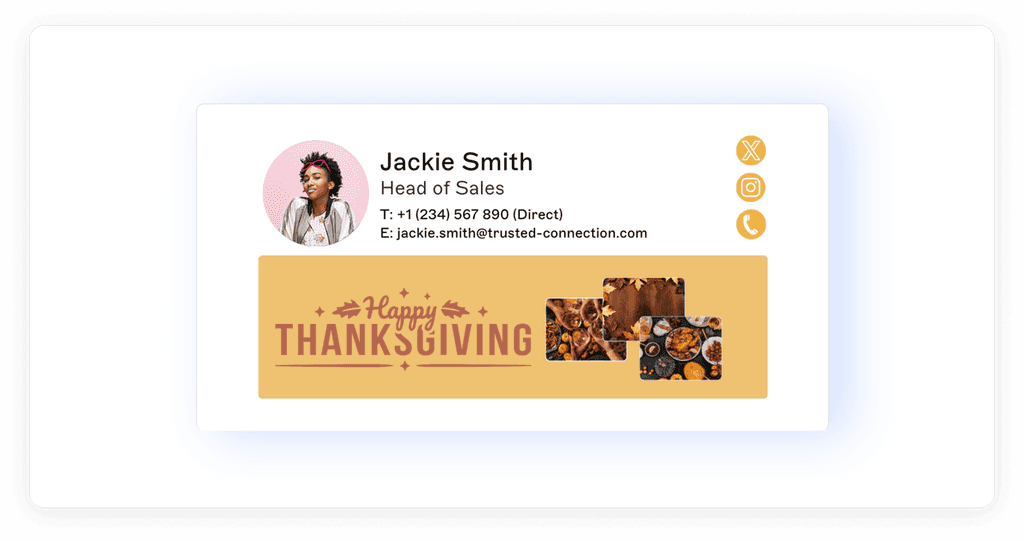
Banners are a fantastic way to add festive spirit and flair to your email signature while maintaining a polished look. Jackie Smith’s signature sets an excellent example with a bold “Happy Thanksgiving” banner featuring a seasonal design and high-quality images of a traditional Thanksgiving meal. It serves as both a visual anchor and a cheerful message to recipients.
Pro Tip: Use bold typography, seasonal colors like orange and gold, and festive imagery to make your banner stand out without overwhelming the overall design.
Insights from the Examples
Personalization Matters: Whether it’s a heartfelt greeting or an incentive, make sure your signature reflects thoughtfulness.
Calls-to-Action Drive Results: Buttons like “See Vacancies” and “Learn More” provide a clear path for engagement.
Visual Appeal Counts: High-quality banners and thematic designs add an extra layer of polish to your emails.
Balance Functionality with Festivity: Keep the design professional while adding touches of seasonal warmth through colors, icons, and messages.
By combining these ideas, your Thanksgiving email signature can be both impactful and memorable, ensuring your holiday communications leave a positive impression.
For you: No Boring Emails Allowed: Christmas Templates and Examples That Spark Joy (and Sales)
New Year-Themed Email Signatures
The New Year is a great time to refresh your email signature with a celebratory touch. Whether you’re promoting special packages, offering discounts, or running limited-time sales, your signature can drive engagement while keeping things festive. Here’s how to do it effectively:
1. Highlight Special New Year Packages
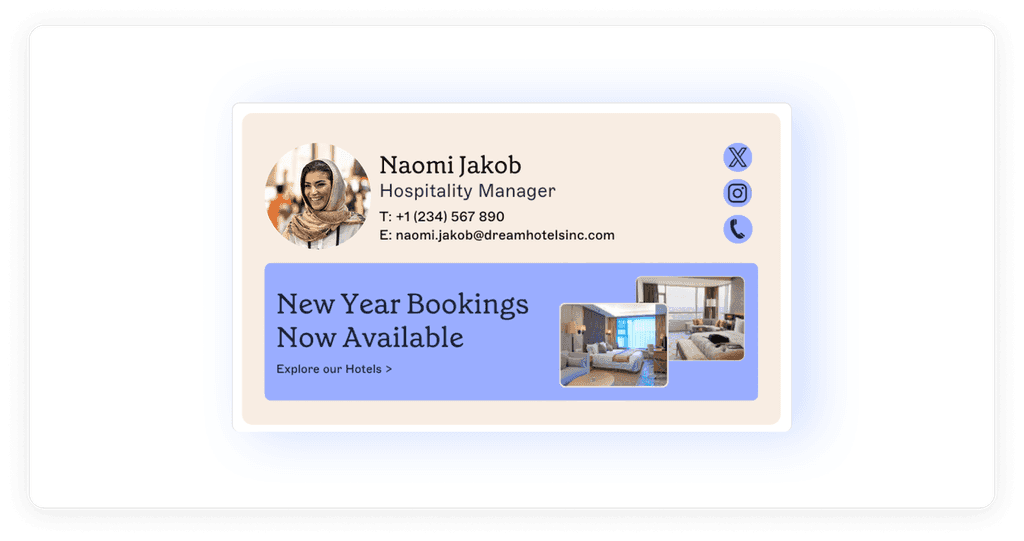
Showcase exclusive New Year offers with clean, eye-catching designs. Naomi Jakob’s example features “New Year Bookings Now Available” alongside inviting visuals, creating an approachable and professional look.
Pro Tip: Use phrases like “Start the Year in Style” with relevant photos to draw attention.
2. Offer a Start-of-Year Discount
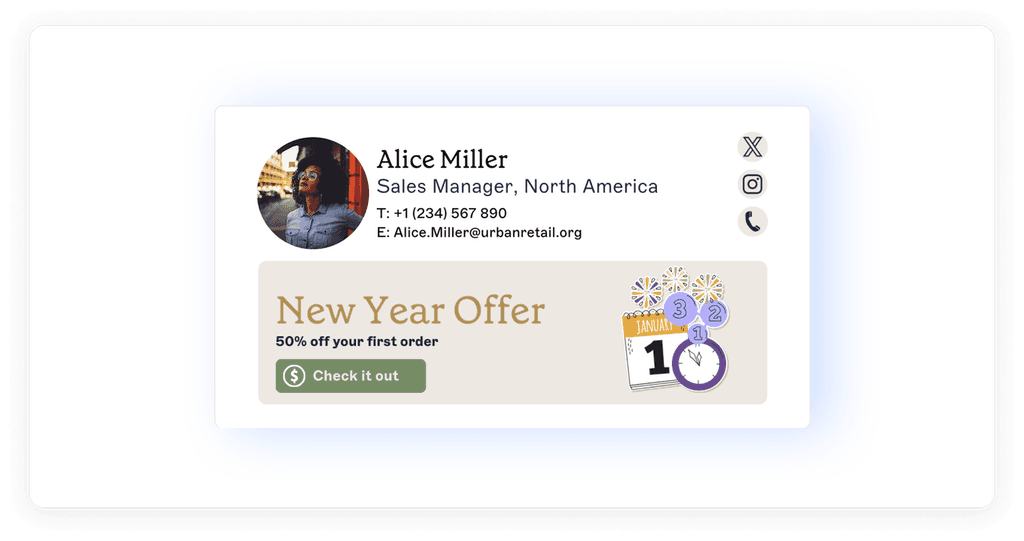
Alice Miller’s signature highlights “50% off your first order” with festive icons like calendars and confetti. It’s bold, direct, and action-oriented.
Pro Tip: Add a clickable button like “Check it Out” to make it easy for recipients to redeem offers.
3. Drive Engagement with a Limited-Time Sale

Ryan Woodward’s example emphasizes urgency with “Up to 70% off until January 31” in a sleek, minimalistic design. A prominent call-to-action button makes the offer clear and actionable.
Pro Tip: Use festive colors like gold or silver and highlight deadlines to boost engagement.
GoCustomer: The Holiday Upgrade You Need
The holidays are the busiest time of the year, and your email marketing needs to be as polished as the ornaments on your tree.
GoCustomer makes it easy to deliver festive, meaningful emails that connect with your audience and lighten your workload. Let’s break down why it’s the ultimate holiday upgrade:
Hyper-Personalized Emails That Truly Connect
GoCustomer’s AI agents dives deep into customer data—like LinkedIn profiles and website activity—to craft emails that feel tailor-made. It’s not just about adding their name; it’s about making every email resonate with their preferences and style.Automation That Feels Personal
Say goodbye to manually crafting each email. With GoCustomer, you can schedule everything—from holiday greetings to abandoned cart follow-ups—while ensuring every message feels warm and thoughtful. It’s like having an extra pair of hands during the holiday rush.Smart Follow-Ups That Keep You Top of Mind
Holidays are hectic, and sometimes customers need a little reminder. GoCustomer automates timely follow-ups to nudge them about items they’ve browsed, exclusive deals, or that perfect last-minute gift they left in their cart.No More Spam Folder Woes
You’ve poured your heart into crafting the perfect email, so it deserves to be seen. GoCustomer ensures your emails land in the right inbox every time, with tools that build your sender reputation and keep you out of spam purgatory.A Platform That’s Effortless to Use
GoCustomer’s user-friendly interface makes creating and managing campaigns a breeze, even during the busiest season. It’s built for businesses that want powerful features without the steep learning curve.Perfect for Holiday Campaigns
Whether you’re promoting New Year sales, sharing festive greetings, or spotlighting special deals, GoCustomer gives you the tools to make your emails stand out in crowded inboxes.
With GoCustomer, your emails become more than just messages—they become a reflection of your brand’s care and thoughtfulness.
This holiday season, consider adding small but impactful details, like a Christmas-themed email signature, to make your communications stand out.
It’s a subtle way to spread festive cheer while maintaining a professional look.
Let GoCustomer handle the backend work, so you can focus on building connections, sharing joy, and making this season memorable for your audience.

Reach more customers with your cold emails
Table of Contents
In a nutshell
You can create a holiday email signature by using email signature generators, designing one with graphic design tools, or customizing your existing signature with festive elements like holiday-themed images and messages.
Yes, best practices include keeping the design clean and professional, ensuring the signature is mobile-friendly, using high-quality images, and aligning the design with your brand's color scheme and tone.
In Outlook, go to "File" > "Options" > "Mail" > "Signatures" to create or edit your signature. In Gmail, click the gear icon, select "See all settings," navigate to the "Signature" section, and customize your signature there.
Templates are available on various platforms, such as email signature generators like WiseStamp or design websites that offer free holiday-themed signature templates.
Yes, it's advisable to revert to your standard email signature after the holiday season to maintain professionalism and ensure your communications remain current and relevant.

Subscribe to our Newsletter!
Digital advice costs money but we send it to
your inbox for free.
Related Blogs


Time is Money, and We're About to Save You Both!
Book a quick demo of our email marketing tools and watch as we transform your leads into loyal customers.

![A loop illustration w-auto h-[70px]](/_next/image?url=%2F_next%2Fstatic%2Fmedia%2Fvector1.7738e6de.png&w=256&q=75 "GoCustomer Platform Image")

Get in touch
Subscribe to our weekly Newsletter and receive updates via email.