

Email Marketing
Published:
Email Marketing
Qasim Farooq
Share

You already know how important it is to craft the perfect email. Whether you’re wooing a new client or nurturing a long-time customer, the right words make all the difference.
But in 2025, manually writing and sending all your emails feels old-fashioned. That’s where AI-powered email assistants swoop in to save the day.
Lavender AI is one name you may have heard a lot. It’s a powerful solution for anyone looking to fine-tune their email campaigns. Still, is it the only option for you?
In this blog, we’ll delve into Lavender AI’s features, pricing, and user feedback. Then, we’ll explore five other fantastic AI email assistants you might want to try.
By the end, you’ll have a handy checklist to help pick the perfect fit for your business.
Let’s get started!
Lavender AI: An Overview
Lavender AI is an email intelligence platform built for one main purpose - making your sales outreach faster and more effective.
It analyzes your writing, suggests improvements, and even generates new email content at the click of a button
Key Features
Personalized Sales Emails: Lavender plugs into your CRM to serve up context-driven content suggestions. You can tailor emails to each prospect based on data you already have.
AI Email Creation: Stuck on the perfect opener? Let Lavender be your AI email writer and personalization assistant. You feed it a few bullet points, and it churns out polished, ready-to-send drafts.
Email Scoring & Feedback: Get a quick read on how “good” your email is. While these scores might be hit-or-miss, they give you a basic sense of whether your message is well-structured and likely to engage.
Integrations with Common Platforms: Seamlessly connect with popular CRMs and email marketing services. This way, you don’t spend hours copy-pasting details between systems.
Sales email coach: Lavender AI email coach tool acts like a mini-checklist—reminding you to include names, clear calls to action, or any other detail you might miss in a rush.

Pricing
Apart from a free tester plan, Lavender AI offers three paid plans:
Starter ($27/month): Provides unlimited emails and AI suggestions, mobile optimization, multi-inbox support, and standard integrations.
Individual Pro ($45/month): Unlocks all features along with priority support. Ideal for sales pros who want to squeeze the most out of Lavender.
Team ($89/seat/month): Lets you mix and match Starter, Growth, and Enterprise tiers for each team member. You also get group analytics, advanced dynamic scoring, priority human support, and extra training resources.
Painpoints: What The Users Found Lacking
Even the best tools have their rough edges, and Lavender AI is no exception.
After going through various reviews on sites like G2 and capterra, I've identified the following set of common pain points that LavenderAI users face:

Buggy Performance: Users often mention crashes and glitches. When you’re trying to power through your sales funnel, downtime can be a deal-breaker.
Underwhelming Customer Support: Some say the support team focuses on basic email concepts rather than offering real solutions. In fast-paced sales environments, you need prompt, detailed help.
Limited AI Insights: Lavender’s Artificial intelligence suggestions sometimes boil down to short sentence tweaks rather than robust rewrites. If you want deeper insights and a richer email, you might need another tool.
Price vs. Value: For smaller teams or early-career sales reps, the monthly subscription can feel steep for what it offers.
Top 5 Lavender AI Email Assistant Alternatives in 2025
Sendbuzz
Key Features
Multi-Channel Outreach
Automate your prospecting efforts across email, SMS, calls, and LinkedIn for a streamlined approach to lead generation.Advanced Lead Finder
Tap into a large database of 850 million verified profiles to locate ideal prospects with just a few clicks.Sales Automation & Workflows
Build automated sequences and follow-ups, reducing manual tasks and freeing up your team for other priorities.Landing Page & Funnel Builder
Create dedicated landing pages and funnels to capture leads and track conversions without juggling multiple tools.CRM Integrations
Effortlessly sync your leads and campaign data with popular CRMs, cutting down on repetitive data entry.
How It Compares to Lavender AI
SendBuzz is all about multi-channel sales engagement, whereas Lavender AI concentrates on email scoring and content optimization. If you value a broader prospecting toolkit, SendBuzz can shine. However, Lavender wins on simplicity for email-only teams needing fast, AI-driven copy.
Pros
Comprehensive outreach across multiple channels
Powerful CRM integrations and workflow automations
Advanced lead-finding for expanding pipelines
Cons
Can be too technical or complex for smaller teams
Some features feel less polished due to the platform’s newness
Pricing
$197/month – 2,000 prospects per month
$497/month – 10,000 prospects plus unlimited email follow-ups
$997/month – 25,000 prospects and all premium features
No free plan is currently available.
Selzy
Key Features
AI Email Builder & Assistant
Generate and personalize emails with AI guidance, reducing the time spent on ideation and content creation.Bulk Email Sender
Easily dispatch large campaigns to your subscribers, ensuring high deliverability for mass outreach efforts.Email Automation
Create automated workflows for follow-ups, abandoned carts, and other triggers to keep your audience engaged.Segmentation & Personalization
Deploy advanced segmentation techniques to break down your audience into smaller groups and tailor campaigns to maximize engagement and conversions.
How It Compares to Lavender AI
Selzy packs more traditional email marketing power, from bulk sending to robust analytics. Meanwhile, Lavender AI zeroes in on message quality and AI-driven copy refinement.
If you’re looking for deeper personalization on large lists, Selzy’s your pick. However, Lavender’s quick scoring features may appeal to teams wanting faster, automated feedback.
Pros
Comprehensive toolkit for email creation, automation, and testing
Offers a free plan for businesses just starting out
Straightforward AI assistance to speed up campaign launches
Cons
Navigation can be tricky if you’re not familiar with the layout
Pricing rises quickly if you have a growing email list
Pricing
Free Plan – Up to 100 contacts with basic bulk sending and AI assistance
Lite (from $7.50/month) – Adds email quality checker and subject line assistant
Standard (from $15/month) – Includes chatbot features and marketing course
Enterprise – Custom pricing based on high-volume needs
Bonus Read: Top 5 Alternatives to Selzy for Smarter Email Marketing
Woodpecker
Key Features
Automated Follow-Ups & Personalization
Deliver consistent messages without sounding robotic, leveraging conditional logic to tailor each touchpoint.Comprehensive A/B Testing
Experiment with different subject lines and content variations to pinpoint the best approach for your cold outreach.Email Deliverability Monitoring
Keep tabs on inbox placement and spam triggers to maintain a reliable sending reputation.AI-Powered Video Personalization
Record short clips that feel authentic and tailored to each recipient, enhancing engagement for your campaigns.
How It Compares to Lavender AI
Woodpecker zeroes in on cold email outreach with advanced automation and deliverability features, whereas Lavender AI focuses on email quality and real-time scoring.
If you value multi-step sales sequences and personalization at scale, Woodpecker is ideal. However, Lavender offers faster, AI-driven copy tweaks.
Pros
Strong deliverability focus
Condition-based follow-ups for dynamic outreach
Unlimited team members for easy collaboration
Cons
No native LinkedIn automation
Might be too narrowly focused for some teams
Pricing
Starts at $20/month – Covers up to 500 prospects
Scalable Plans – Add features and higher outreach volumes as you grow
Free Trial – 7-day test drive, but no permanent free plan
Also Read: Discover 2024's Best Woodpecker Alternatives for Cold Emails
GoCustomer
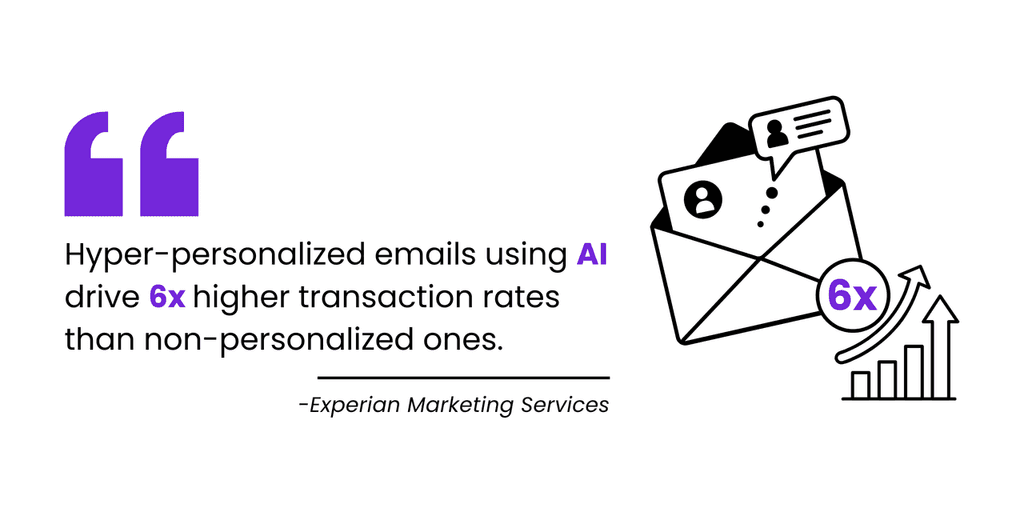
If you want an all-in-one marketing solution - one that fuses hyper-personalized email campaigns, reliable deliverability, and powerful automation - GoCustomer might be your perfect match.
It handles everything from AI-driven content creation to ensuring you stay out of spam folders, so you can focus on what really matters: growing your business.
Standout Features
Hyper-Personalization with AI Agents
GoCustomer’s AI agent crawls real-time data from platforms like LinkedIn and your prospects’ websites. Every email is loaded with relevant, timely information, so you don’t sound like you’re blasting generic messages.Superior Deliverability
A built-in warm-up system boosts your sender reputation over time, preventing your emails from disappearing into spam folders. This means your carefully crafted campaigns actually reach the people you want to talk to.Effortless Email Recipes
Need to whip up a personalized message in a flash? GoCustomer’s “email recipes” blend ready-made prompts with real-time prospect data, letting you send out polished, personal emails faster than ever.Workflow Automation That Never Sleeps
With GoCustomer, you can schedule follow-ups and nurturing campaigns 24/7. The Workflow Builder keeps your leads engaged automatically, freeing you up to think bigger and aim higher.
What Makes GoCustomer The Ideal Alternative
In my experience, Lavender AI focuses heavily on refining the quality of each individual email - great for quick drafting and scoring. But GoCustomer plays the long game.
It not only helps you create hyper personalized content with ease - deploying relevant details from various data points - but also makes sure your emails actually get seen by warming up your senders and automating your outreach.
So if you’re looking for a streamlined, ready-to-go system for serious scaling, GoCustomer stands out as a robust alternative to Lavender AI.
Pricing
Free Forever Tester Plan
Get a taste of GoCustomer’s core features, including AI personalization and workflow automation, without ever whipping out a credit card.Growth Plan ($119/month)
Unlimited prospect uploads, unlimited sender accounts, and unlimited emails for businesses aiming to expand quickly—plus exclusive access to the Email Recipe Library.Custom Plan
Tailored to fit organizations with specialized needs. You get a personalized feature set, from advanced analytics to extra automation, all priced according to your scale.
UnifyGTM
Key Features
Signals & Data
Leverage intent data from multiple sources to identify prospects actively in “buying mode,” helping you engage potential customers at exactly the right moment.Plays
Automate tasks like prospecting, data enrichment, and AI research. This frees your team from repetitive work, allowing them to focus on high-level activities.Sequences
Deploy multi-touch outreach strategies spanning email, calls, and social media. UnifyGTM also manages deliverability, so your messages reach inboxes instead of spam folders.AI Agents
Scale account research by pulling relevant data from the web and your CRM, then craft customized messages that resonate with each prospect more effectively.
How It Compares to Lavender AI
UnifyGTM extends far beyond email copy suggestions by centralizing data-driven insights for end-to-end engagement.
Lavender focuses on improving email content quality, whereas Unify offers intent-based triggers, deeper automation, and robust analytics for multi-channel campaigns.
Pros
Real-time intent signals for well-timed outreach
Comprehensive automation to reduce manual tasks
Helpful customer support and user-friendly design
Cons
Limited integrations can pose challenges
Missing some advanced features found in competing tools
Higher price point, with no free trial
Pricing
Growth Plan – From $1460/month, includes 2,500 credits
Pro Plan – 200,000 credits annually (custom pricing)
Enterprise Plan – 600,000 credits per year (custom pricing)
Bonus Read: Unify GTM Under the Microscope: What Works, What Doesn’t, and Better Options
Email Assistant Checklist: What To Consider Before Making The Final Decision
AI Capabilities
Check if the tool offers intelligent content creation, real-time suggestions, and accurate email scoring. Strong AI can transform your drafts into engaging messages without heavy manual editing.Hyper-Personalized Copywriting
Ensure the platform can craft messages that speak directly to your audience. Look for features like AI agents that pull in real-time data and personalization engines that tailor content for each recipient - finding the perfect balance between AI, Data and Human Touch.Deliverability
A robust email assistant should help your emails bypass spam filters. Features such as email warm-up systems and deliverability monitoring are vital for ensuring your messages land in the inbox.Ease of Use
Consider the user interface and overall experience. An intuitive design reduces the learning curve and allows you to set up and execute campaigns swiftly, without getting bogged down by technical challenges.Pricing & Scalability
Look for clear, affordable pricing plans that grow with your business. Whether you’re just starting out or scaling up, the platform should offer flexible options that match your evolving needs.
Conclusion
We’ve explored Lavender AI and a host of powerful alternatives that make email outreach simpler, smarter, and more impactful.
Platforms like Sendbuzz, Selzy, Woodpecker, GoCustomer, and UnifyGTM each bring something unique to the table - whether it’s multi-channel engagement, hyper-personalization, or robust analytics.
When deciding on the right fit, reflect on your priorities. Are you after deeper automation, advanced personalization features, or seamless AI-driven copy? Your answer will point you in the direction of the best tool for your specific goals.
Above all, choose a platform that feels intuitive, offers flexible pricing, and easily scales as your outreach needs grow.
Good Luck!

Reach more customers with your cold emails
Table of Contents
In a nutshell
It depends on your needs! If you’re looking for an AI-driven assistant to refine your email content and optimize tone, Lavender AI is a great option. However, if you need a more comprehensive solution that includes automation, multi-channel outreach, and CRM integration, tools like Sendbuzz and GoCustomer offer more advanced features for scaling your email communication efforts.
AI-powered platforms help improve cold email reply rates by enhancing personalization, optimizing subject lines, and structuring messages for better engagement. Solutions like GoCustomer use AI agents to pull real-time prospect data, while Woodpecker ensures deliverability by monitoring inbox placement and reducing spam risks.
Yes, Lavender AI includes a coaching dashboard that provides real-time feedback on email structure, tone, and effectiveness. It analyzes elements such as length, clarity, and personalization to help users craft better sales outreach emails. Other platforms, like Selzy, also offer email optimization tools but focus more on marketing automation and bulk campaigns.
Small businesses looking for affordability and ease of use might prefer Selzy, which offers a free plan and simple email automation. However, for those focused on personalization and sales outreach, GoCustomer and Woodpecker provide scalable features to improve email communication and engagement without requiring extensive technical knowledge.
An email warm-up system gradually builds a sender’s reputation, increasing the chances of landing in the inbox instead of the spam folder. Platforms like GoCustomer and UnifyGTM include built-in warm-up features, ensuring cold email reply rates stay high by improving overall email deliverability.

Subscribe to our Newsletter!
Digital advice costs money but we send it to
your inbox for free.
Related Blogs

Time is Money, and We're About to Save You Both!
Book a quick demo of our email marketing tools and watch as we transform your leads into loyal customers.

![A loop illustration w-auto h-[70px]](/_next/image?url=%2F_next%2Fstatic%2Fmedia%2Fvector1.7738e6de.png&w=256&q=75 "GoCustomer Platform Image")

Get in touch
Subscribe to our weekly Newsletter and receive updates via email.