
Email Warmup - Step by Step
A brief guide on how to "Add a Mailbox".
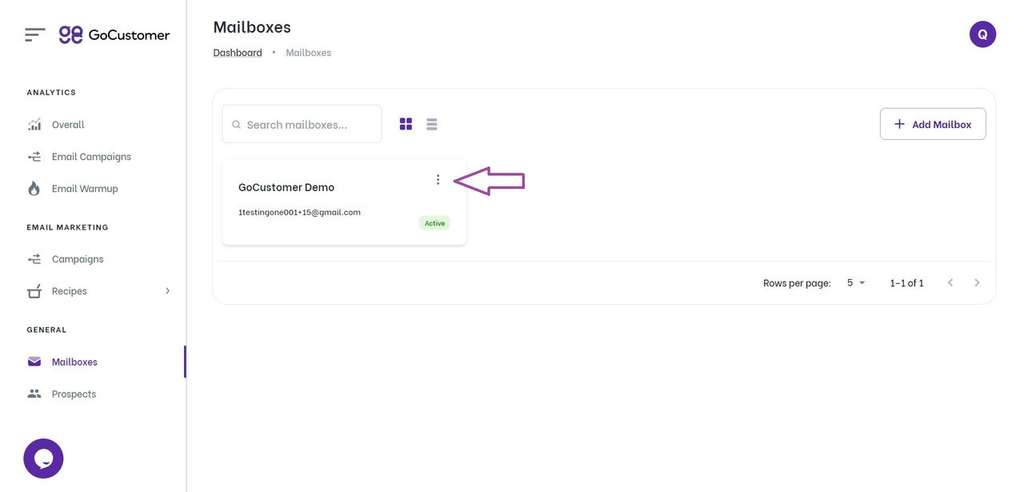
Step 1: Click on the action button to reveal a dropdown menu. .
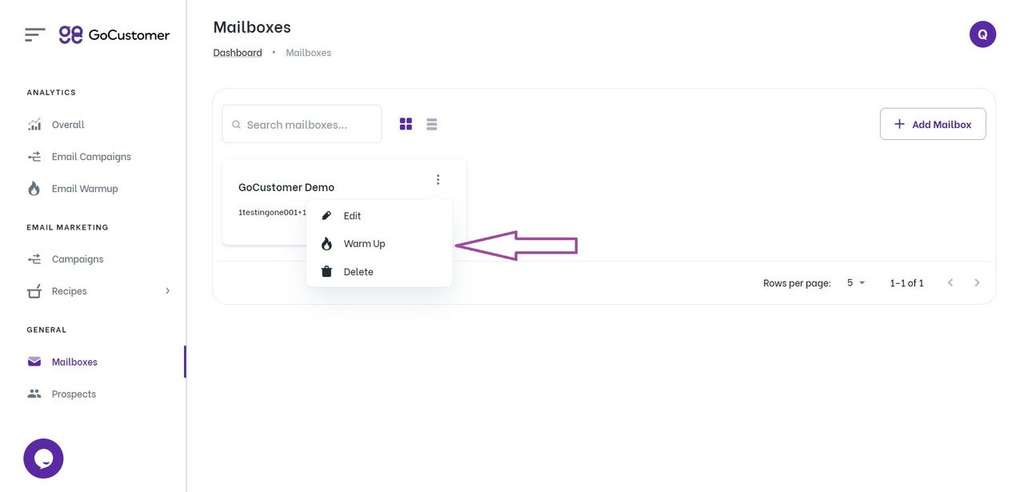
Step 2: From the dropdown menu, select the option labeled "Warm Up".
Important Note: Kindly ensure that you are subscribed to a paid plan in order to access and utilize the warmup feature for your mailboxes.
Please bear in mind that access to the warmup feature requires a paid plan subscription.

![A loop illustration w-auto h-[70px]](/_next/image?url=%2F_next%2Fstatic%2Fmedia%2Fvector1.7738e6de.png&w=256&q=75 "GoCustomer Platform Image")