
Prospects verification - step by step
A brief guide on how the 'Email Address Verification' works
Step 1: To add a new person, click on the "Create New".
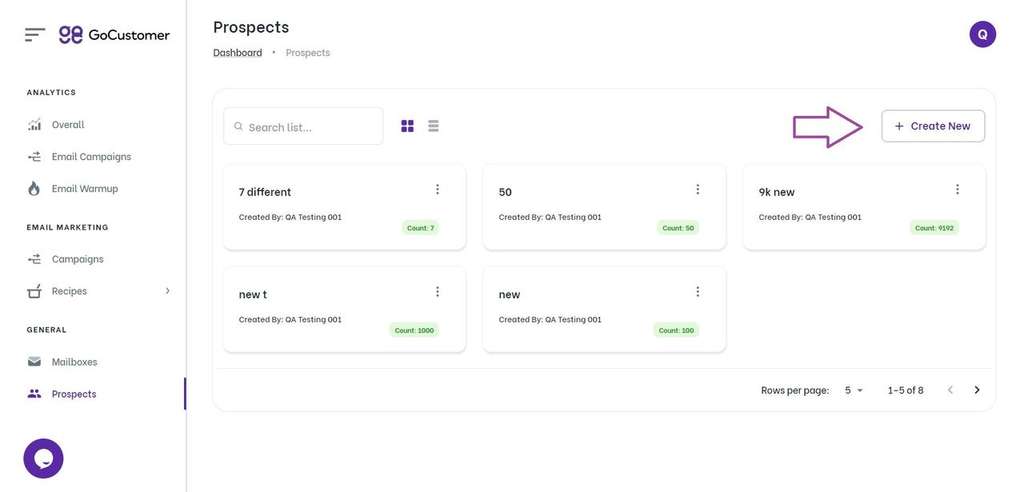
Step 2: Enter the Prospect's name and email address, and click "Save".
If you have a large list of prospects to add, you can upload a CSV file containing their information. To do this, click on the "Add Prospect" button and follow the on-screen instructions.
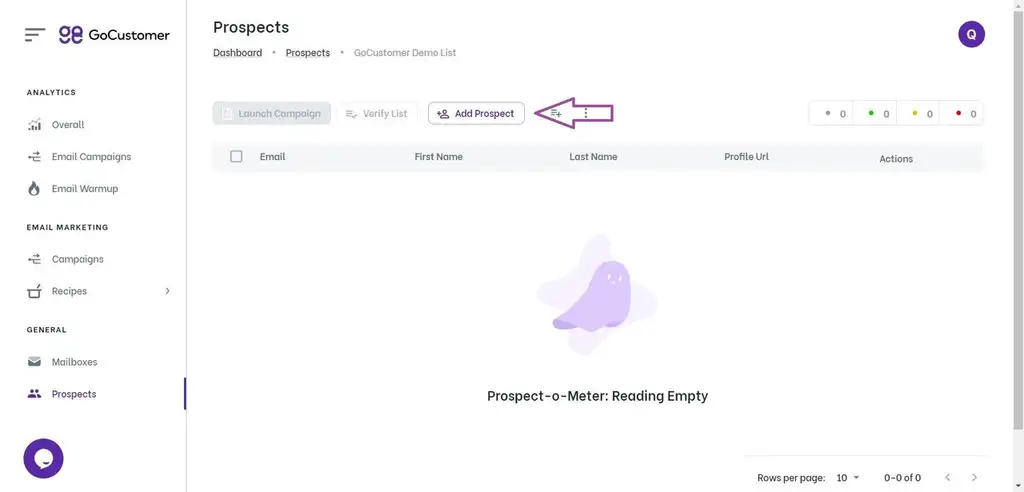
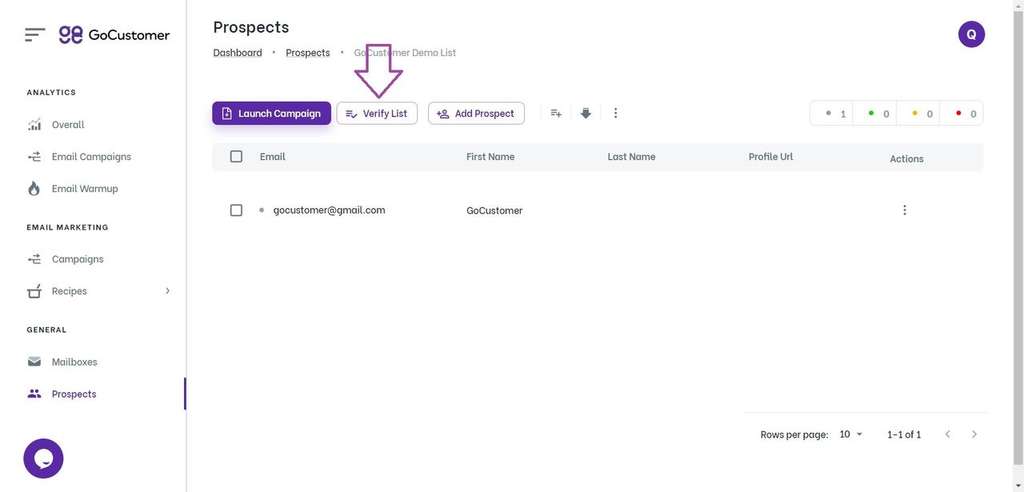
Step 3: Before sending any emails, it's important to verify that your email list is clean and valid.
To do this, click on the "Verify List" button and follow the on-screen instructions. GoCustomer will check each email address for validity and remove any invalid addresses.

![A loop illustration w-auto h-[70px]](/_next/image?url=%2F_next%2Fstatic%2Fmedia%2Fvector1.7738e6de.png&w=256&q=75 "GoCustomer Platform Image")